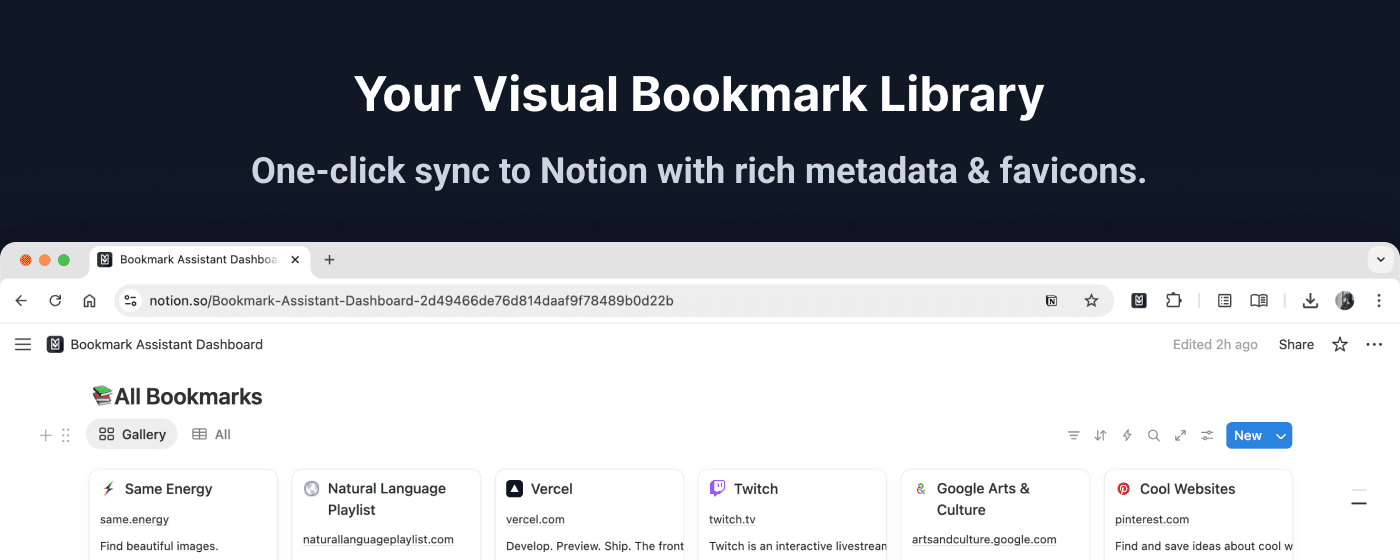
Sync Chrome bookmarks to Notion
One-click setup, rich metadata, auto-sync. Your knowledge base, always current.

Everything you need to organize
Powerful, practical features that fit your workflow without getting in the way.
One-Click Sync
Export all your bookmarks to Notion instantly with one click.
Smart Descriptions
Automatically extracts page descriptions with 90-92% accuracy.
Auto-Sync (Pro)
Background sync every 6 hours to keep Notion always up-to-date.
Secure OAuth
Bank-grade security with encrypted tokens, credentials never exposed.
Change Detection
Only syncs when bookmarks actually change, saving time and resources.
Intelligent Caching
Smart caching reduces redundant operations by 80% for faster syncs.
From zero to synced in minutes
Setting up takes less than 2 minutes.
Install the extension
Add Notion Bookmark Sync to Chrome.
Connect to Notion
Securely authorize with OAuth.
Sync bookmarks
One-click or automatic background sync.
Simple, transparent pricing
Start free, upgrade when you need more power.
Frequently asked questions
Ready to organize your bookmarks?
Install Bookmark Assistant from the Chrome Web Store and start syncing your bookmarks today.